 FoxxDen
How to budget on weekly pay
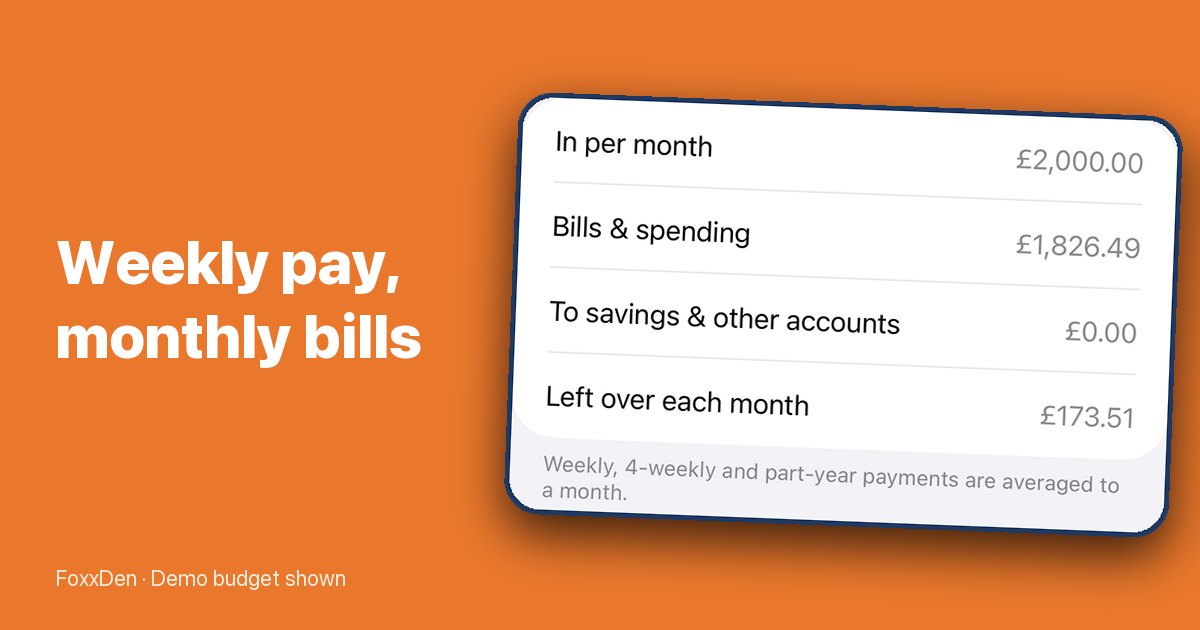
Most budgeting advice assumes you’re paid once a month. If your pay lands every Friday, it doesn’t fit. Your money arrives in weeks, but rent, council tax and most direct debits go out by the month. Some weeks carry three bills and some carry none.
Work out yours: Weekly pay to monthly calculator →
Your true monthly figure, and which months have an extra pay day.
That mismatch is the whole problem, and it can be planned for. Here’s how.
Four weeks isn’t a month
The most common mistake is to multiply weekly pay by four and call it a month. A year has 52 weeks, not 48, so a month is a bit more than four weeks.
- Weekly pay to a month: multiply by 52, then divide by 12. £400 a week is about £1,733 a month, not £1,600.
- A monthly bill to a week: multiply by 12, then divide by 52. A £650 rent is £150 a week, not £162.50.
The difference shows up as the months with five pay days. If you’re paid weekly, about four months a year have five. If you’re paid every two weeks, two months a year have three pay days. If you’re paid every four weeks, you get 13 pay days a year, so one month has two.
Step by step
- List every bill with its date. One bank statement will show most of them. Add the yearly ones too, such as car insurance and the TV licence.
- Turn each bill into a weekly amount. Use the sum above: times 12, divided by 52. Add them up. That total is what your bills cost you every week, whether a bill is due that week or not.
- Set that amount aside every pay day. The simplest way is a second account just for bills. Move the weekly total into it each pay day, and have the direct debits come out of it. I’ve written about why it helps to give every account a job.
- Build one month of bills first. For the first few weeks the bills account won’t have enough in it for a big bill early in the month. Check the dates, and top it up in the first month if you need to. After that it looks after itself.
- What’s left is your week. Pay minus the bills amount is what you have for food, fuel and everything else until next pay day. It’s the same figure every week, which is what makes weekly pay easier to live on.
- Decide what the fifth pay day is for. In a five pay day month, the bills are already covered by the other four weeks, give or take. Decide now where that money goes, before it arrives: the overdraft, a card, or your first £50 to £100 of savings.
If you’d rather not open another account
You can do the same thing in one account by looking ahead. Write out the days from now until a few pay days ahead. Add each pay day and take off each bill on its date. The balance after each line shows which week is the tight one.
Often it’s the same week every month, the one with the rent in it. Once you can see that, you know to spend less in the week before it, not in the week it arrives.
Two things that help
- Ask to move a bill date. Many providers will change the day a direct debit goes out if you ask. Spreading the big bills across the month means no single week has to carry them all.
- Ask about paying weekly or fortnightly. Some landlords and councils will take rent or council tax in smaller, more frequent payments. It’s worth one phone call.
If you get Universal Credit
Universal Credit is worked out a month at a time. If you’re paid weekly, some of those months will include five pay days, and your payment for that month may be lower. If you’re paid every four weeks, one month a year will include two pay days. It helps to know which months these are in advance. MoneyHelper and Citizens Advice both explain how it works.
How FoxxDen handles weekly pay
FoxxDen is the iPhone app I built from my own budgeting spreadsheet. When you set it up, you choose how often you’re paid: monthly, every week, every 2 weeks or every 4 weeks. Then:
- every pay day and every bill sits on its real date, so a five pay day month shows up as five pay days;
- you see your balance for every day ahead, with the lowest day pointed out;
- weekly and 4-weekly payments are averaged to a month for you, so you can see what’s really left over;
- if you use a bills account, it shows whether your transfer covers every bill.
There’s no bank login. You enter your pay and bills, or scan a statement, and it stays on your iPhone. If you’d rather do it by hand, I’ve written about how to budget without linking your bank account too.
However you do it, the idea is the same: bills by the week, pay by the week, and a look ahead to the tight one.
— Foxx