 FoxxDen
How to budget without linking your bank account
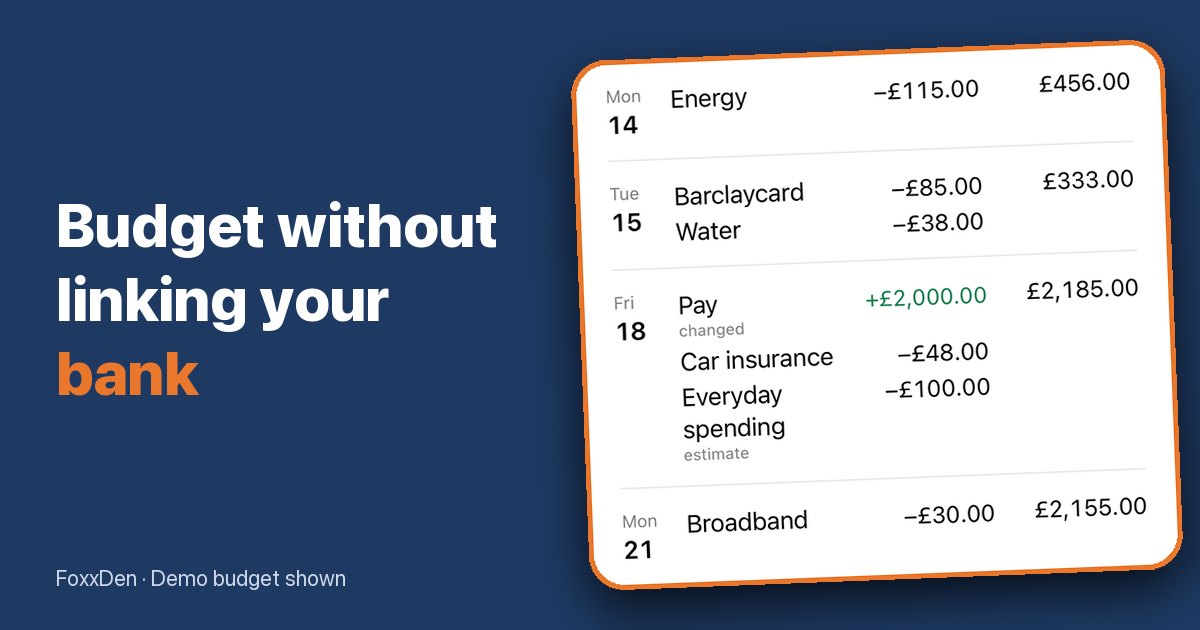
Most budgeting apps in the UK start the same way: choose your bank, log in, approve the connection. For plenty of people that works well. But it isn’t the only way to budget, and it isn’t the way I do it.
Work out yours: Will I make it to pay day? calculator →
Put in your balance, bills and usual spending, and see what’s left before pay day.
Maybe you’d rather not share your transactions. Maybe your bank isn’t on the list, or the connection keeps dropping and asking you to approve it again. Or maybe, like me, you’ve found that you pay more attention when you put the numbers in yourself. Whatever the reason, you can budget perfectly well without a bank link. Here’s how.
You only need four numbers
A bank link gives an app thousands of transactions. A budget needs far less than that to be useful:
- Your balance today. Open your banking app and write it down. If you have an overdraft, write down the limit too.
- What comes in, and when. Your pay, benefits or anything else regular, with the date it lands.
- What goes out regularly, and when. Rent or mortgage, council tax, energy, phone, subscriptions, card payments, each with its date.
- A weekly figure for everything else. Food, fuel, coffee, the bits you can’t list one by one. A rough guess is fine to start with.
That’s it. You don’t need every transaction sorted into categories to know whether you’ll make it to pay day.
Step by step
- Go through one statement. One month is enough to find most of your regular payments. Write down the name, the amount and the day of the month for each one.
- Add the ones that aren’t monthly. Car insurance, the TV licence, the MOT, Christmas. These are the ones that catch people out, because they don’t appear on last month’s statement.
- Pick your weekly figure. Add up a typical week of everyday spending, or just start with a guess and correct it later.
- Walk your balance forward. Start from today’s balance. Go through the days until your next pay day, taking off each payment on its date and your weekly figure once a week. Write down the balance after each one.
- Find your lowest day. Somewhere in that list is the smallest number of the month. That’s the day to plan around. If it’s below zero, or below what you’re comfortable with, you’ve found out weeks early instead of on the day.
- Check in once a month. Compare your real bank balance with what the plan said. If they’re close, carry on. If they’re not, something is missing from the list, and now you know to look for it.
The monthly check is the step that replaces the bank link. A linked app stays accurate because the bank keeps feeding it. Yours stays accurate because you correct it once a month. I’ve written about why ten minutes a month beats a perfect spreadsheet.
Three ways to do it
Paper. A notebook and the six steps above. It works, and it costs nothing. The hard part is redoing the sums every time something changes.
A spreadsheet. One row per day, one column for the balance. This is where I started, in 2024, and it’s how I first saw my own lowest day coming. The hard part is keeping it going: dates move, bills change, and a formula breaks when you’re tired.
An app that doesn’t link. There are budgeting apps that work without a bank connection. They do the sums for you and keep the plan with you on your phone. If you go this way, a few things are worth checking first.
What to look for in an app with no bank link
- Does it look ahead? Many manual apps only record what you’ve already spent. A forecast of your balance for the days ahead is what tells you about the tight week before it arrives.
- Does it understand UK money? Pounds, pay days that move when they fall on a weekend or bank holiday, overdrafts, and bills that go out on a set day of the month.
- Where does your data live? “No bank link” doesn’t always mean private. Check whether you need to create an account, and whether your budget is stored on your phone or on the company’s servers. The App Store privacy label on each app’s page will tell you what’s collected.
- Can it read a statement? Typing every payment gets old. Some apps can read a statement you download from your bank, which gives you most of the convenience without handing over a login.
- Can you get your data out? A backup or an export means you’re never stuck.
How FoxxDen does it
I built FoxxDen because I wanted my spreadsheet without the upkeep. It’s an iPhone app for UK budgets, and it follows the same steps as above:
- You give it your balance, your pay day and your regular payments. It takes a few minutes.
- It shows your balance for every day ahead and points out your lowest day.
- It moves pay and bills around weekends and bank holidays, and it knows about your overdraft.
- You can scan a statement, as a PDF or screenshots. It’s read on your iPhone and checked row by row against the running balance. Nothing is uploaded.
- Once a month you type in your bank balance, and it corrects itself.
There’s no account to create and no bank login. Your budget stays on your iPhone, with a backup in your own iCloud Drive. If you’d like the longer reasoning, I’ve written about why FoxxDen doesn’t connect to your bank.
Is linking your bank a bad idea?
No. In the UK, bank-linked apps use Open Banking, which is regulated, and the access they get is to read your transactions, not to move your money. If you want everything filled in automatically, a linked app may suit you better.
We just think there’s a different trade on offer: a few minutes of your own attention each month, in return for a plan you understand because you built it. If that sounds like you, you don’t need to link anything to get started. You need today’s balance and a list.
— Foxx