 FoxxDen
Why does my bank app say I’ve money left before the bills go out?
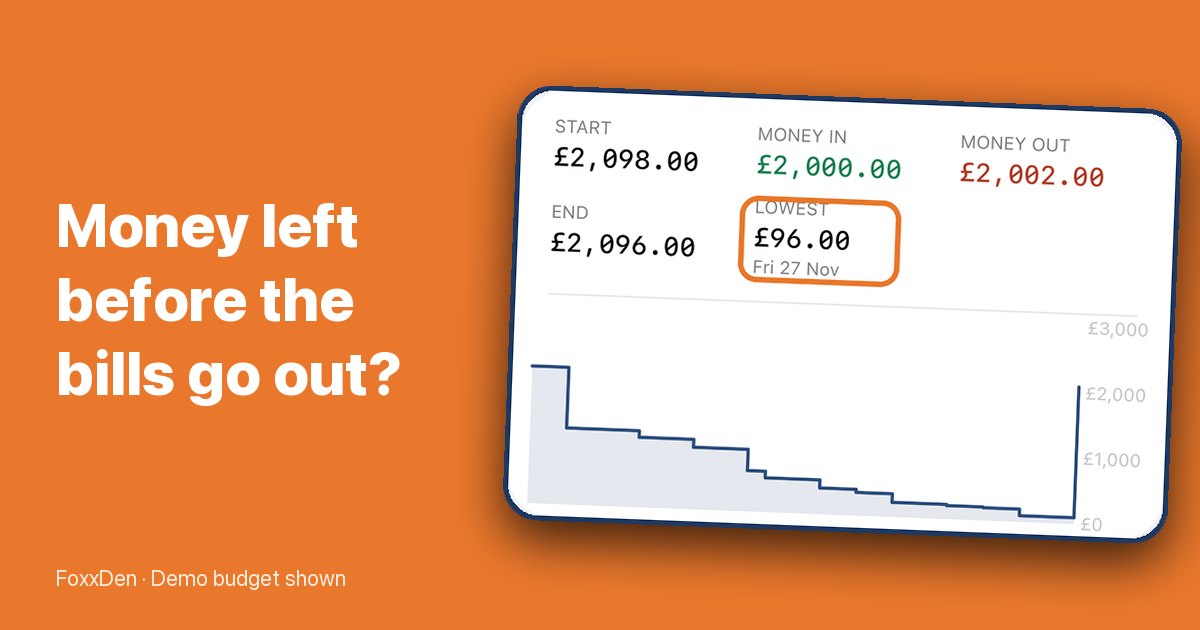
It’s a few days after pay day and your bank app shows a healthy number. Then the rent goes, the council tax, the car loan, the energy bill, and by the last week of the month it’s a very different picture. Nothing went wrong. The money was never really spare.
Work out yours: Will I make it to pay day? calculator →
Your balance today, minus the bills still to come and your usual spending.
Your balance is a snapshot, not a forecast
A balance tells you what’s in the account right now. It doesn’t take off the direct debits due next week, the standing order on the 15th, or the food shop you’ll do on Saturday. Some bank apps list upcoming payments, but the big number at the top is still today’s money, not what’s left once the month has played out.
So early in the month, the balance is usually at its highest and most misleading. The number that matters is your lowest day: how low the account gets before the next pay day.
Three things the balance doesn’t show
- Bills that haven’t gone out yet. Rent or mortgage, council tax, phone, energy, subscriptions, loan and card payments. Most leave on fixed dates, so they’re easy to forget until they land.
- Everyday spending still to come. Food, fuel, the bits in between. You know roughly what a normal week costs, even if no two weeks are the same.
- Things that come once a year. Car insurance, the MOT, the TV licence, Christmas. They don’t show up in an ordinary month, which is exactly why they cause trouble in the month they do.
How to see what’s really left
- Start with today’s balance. If you’re overdrawn, start from the minus figure.
- List the bills still to go out before pay day. Last month’s statement is the quickest place to find them. Look at the second half of the month especially.
- Add your everyday spending for the days left: a weekly figure, spread across the days.
- Take it all off. What’s left is what you really have until pay day. If that number is comfortable, that’s money you can spend or put aside without a nasty surprise later.
The pay day calculator does these sums for you and shows what you could spend each day to get there. Nothing you type is sent anywhere.
Look past this pay day too
This month can look fine while a bigger month is coming. A yearly bill in March, or a long gap between pay days after an early December pay day, can make next month the tight one. It’s worth checking a few months ahead before deciding something is spare. I’ve written about checking a year ahead before saving.
If you’d rather do this by hand, there’s a simple way in how to budget without linking your bank account.
How FoxxDen helps
FoxxDen shows your balance for every day ahead, with each bill and pay day on its real date, and points out your lowest day before it arrives. Its safe to save figure only counts money as spare after checking every day of the next 12 months, so a big bill in a later month is already taken into account.
Once you can see the lowest day, the number at the top of your bank app stops being a guess, and you can spend what really is spare without second-guessing it.
— Foxx